






NX Composites provides engineers with a powerful tool for designing and analyzing composite parts directly within the NX environment. With considerations for producibility and design for manufacturing, NX Composites simplifies complex design processes while supporting production needs.
Designing composites in NX
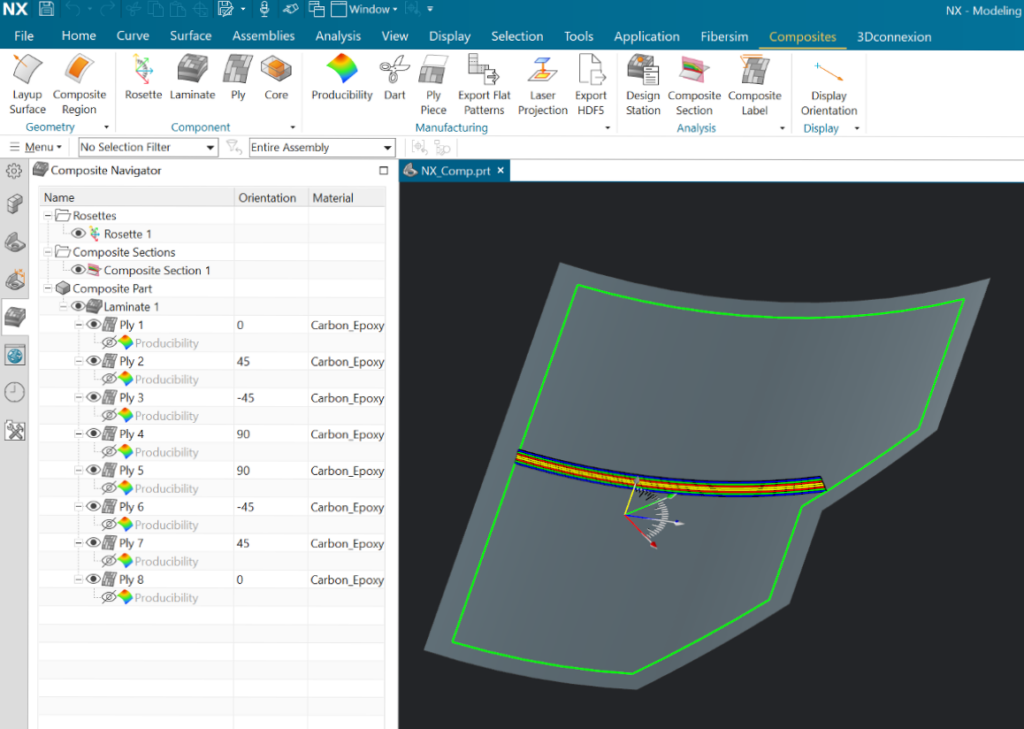
Users can design composite parts directly within NX by using the ribbon tab, which guides them through the process of defining a composite part by working with features from left to right, starting with defining the layup surface. After creating the composite part definition, users can make design stations and composite cross sections to review or display design intent at specific locations on the laminate.
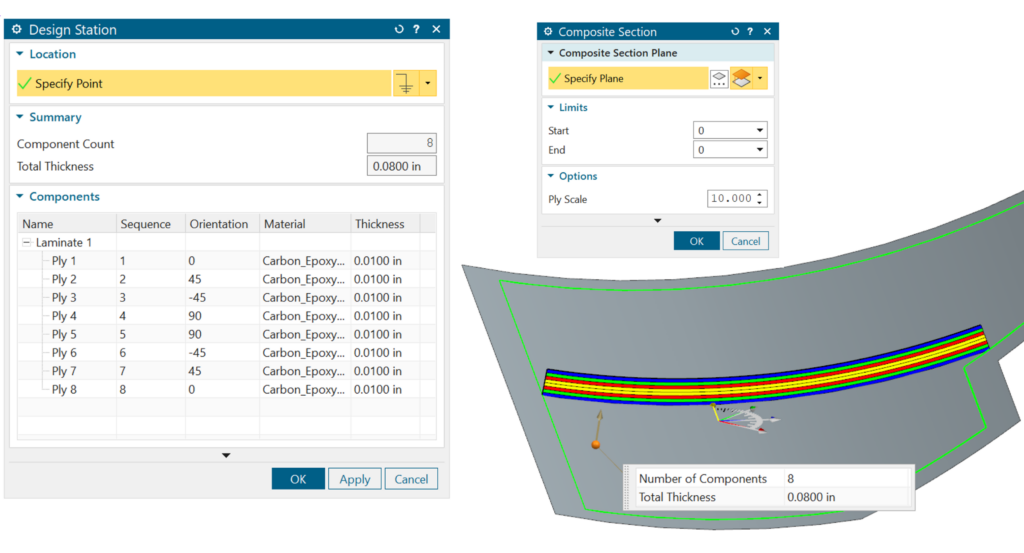
Design stations allow users to select a point on the laminate and obtain relevant composite details, including the number of plies and total thickness.
Key benefits from the NX 2414 release
The latest NX 2412 release introduces three major benefits:
- HDF5 CAE Exchange: A new interface to CAE via neutral file format to enable structural analysis of composite parts—can be read by leading FEA software, including Simcenter 3D and FEMAP.
- Note: This requires the add-on module NX30752: NX Composites CAE Interface.
- Ply Table: Generate a PMI table that reports all plies and cores in the composite part.
- Material Table: Generate a PMI table to report composite materials used by plies in the part.
NX Composites benefits
- Design composite parts directly inside NX.
- Provides functionality for producibility and design for manufacturing
- Examine and review the composite definition with the design station and cross sections.
- Export Flat Patterns and Laser Projection files.
Learn more about NX Composites here.
By Brandon Burke
Composites Design and Manufacturing Engineer